Features
Keep a clear record of what you spend, check your budget during the month, and understand the result at a glance.
Effortless manual expense tracking
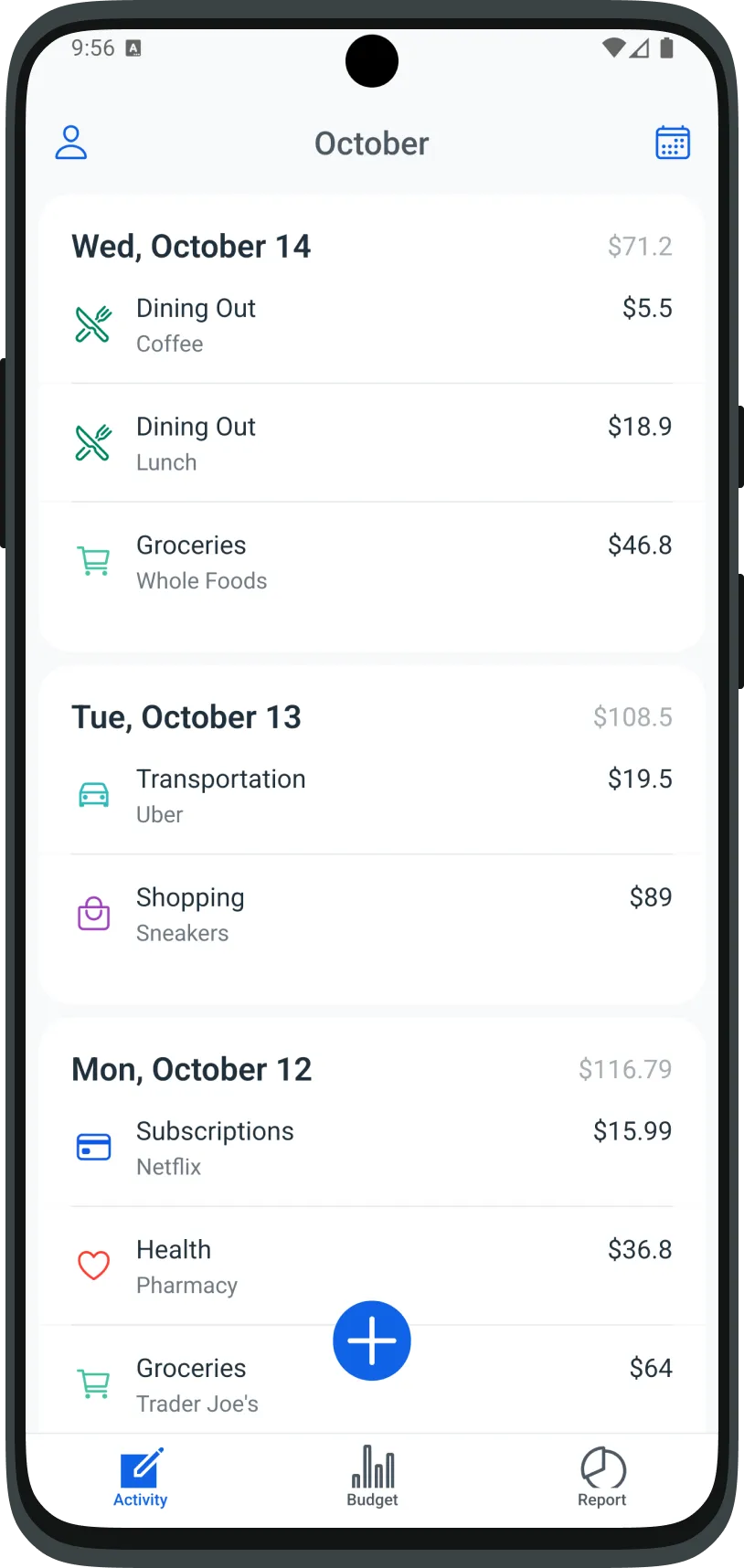
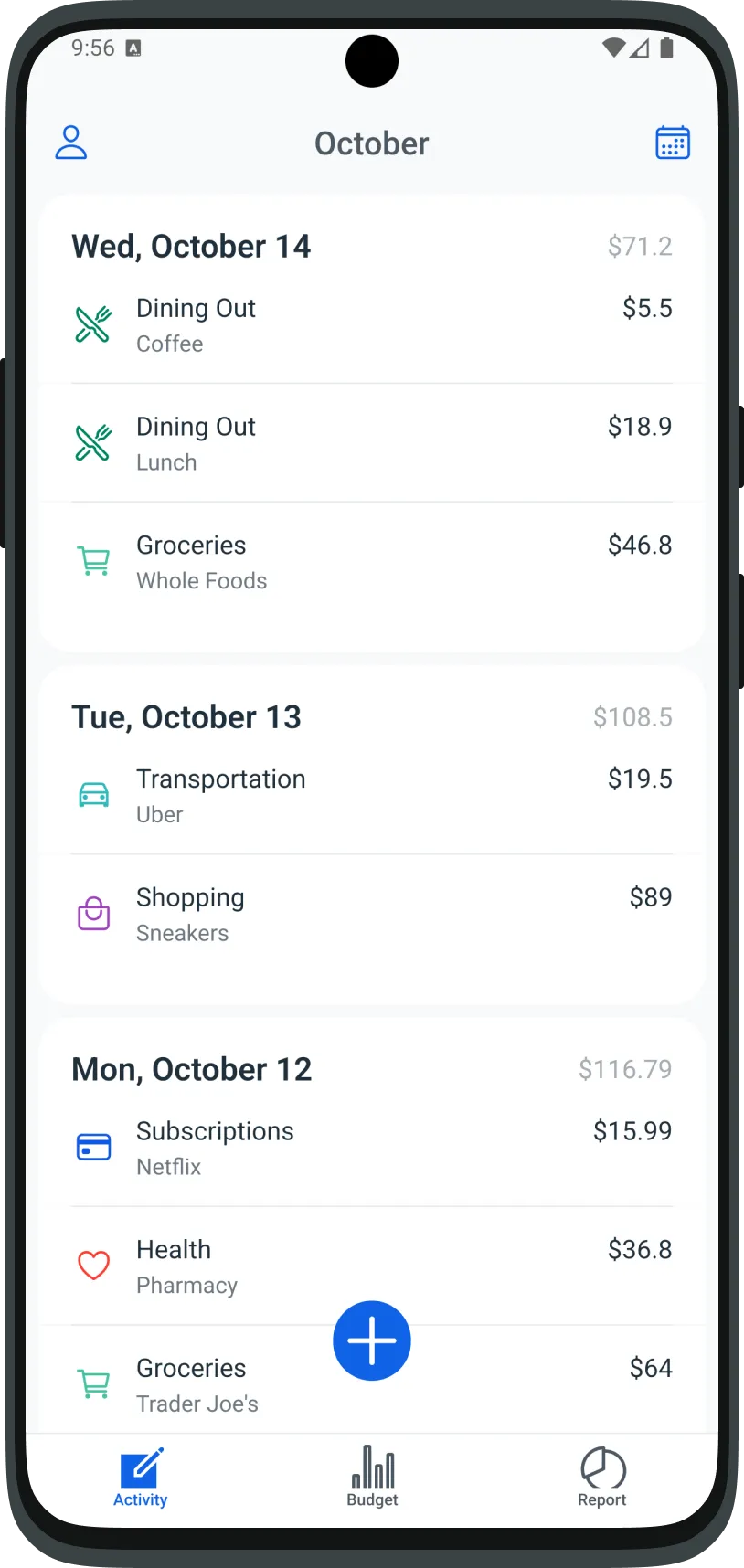
Log a purchase in a few taps: category, amount, date, and an optional tag.
Fast entry
Choose a category, enter the amount, and save. The form moves to the next field for you. The date defaults to today.
Categories that match how you spend
Start with 25 built-in categories. Add your own with a name, icon, and color, and hide any category you do not use.
Tags you have used before
Add one tag to an expense. illion suggests tags you already used in that category, so the next coffee or grocery run is one tap.
Monthly and category budgets
Set one total for the month, then give each category a limit. illion shows what is spent, what is left, and when a limit is reached.
One total, split across categories
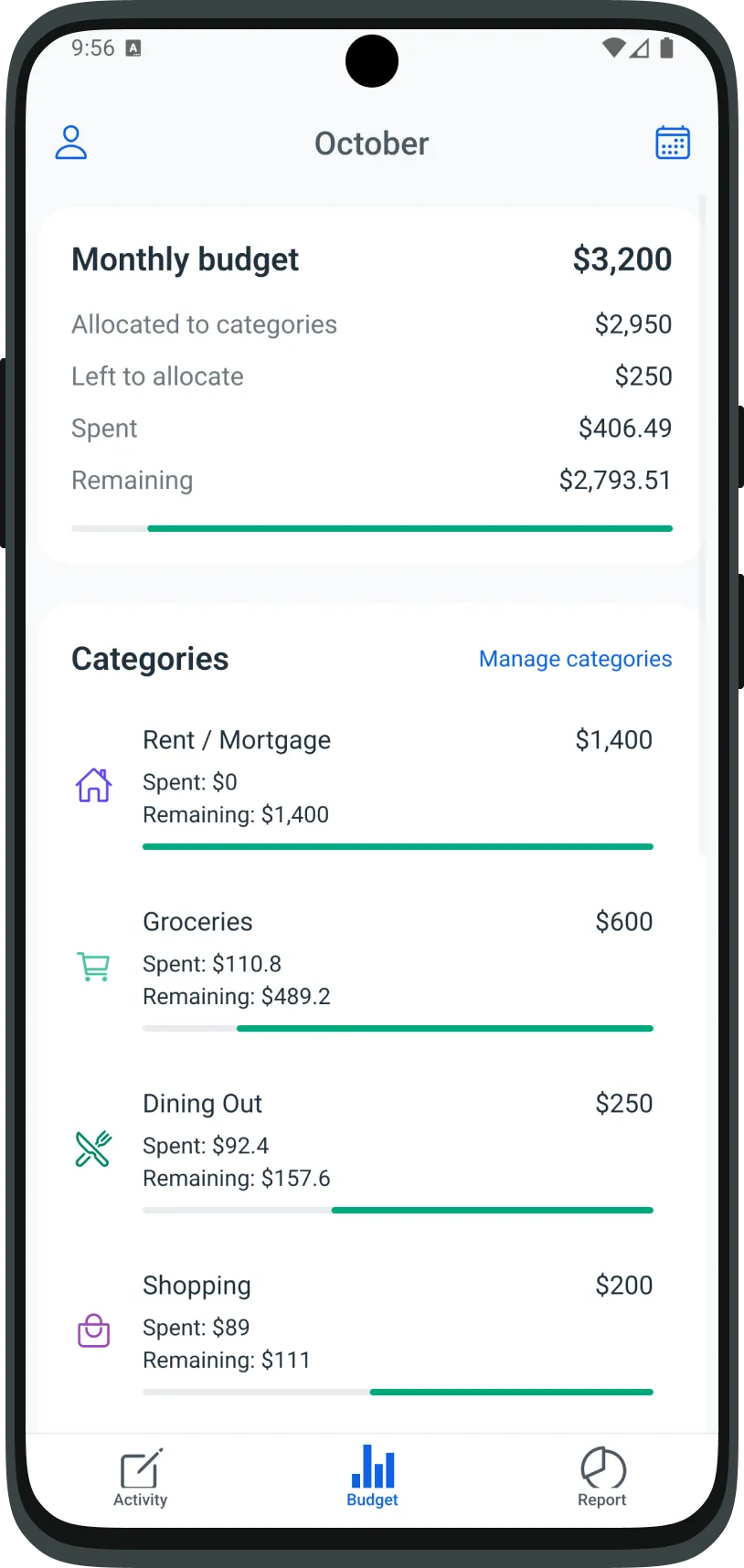
Set the monthly budget, then allocate it. The budget screen shows the total, how much is assigned to categories, and what is still unallocated.
Progress you can see
Each budget has a progress bar for what is left. If spending goes past a limit, the bar switches to the overspend. Saving an expense that crosses a category limit shows a short notice. The expense is still saved.
Next month starts from last month
When you set a new monthly budget, you can copy last month's category limits. The form also shows last month's budget and spending, when that data exists.
Understand where your money goes
Explore spending reports by category and tag: see the month as a chart, then open any category or tag to inspect the details behind it.
The month at a glance
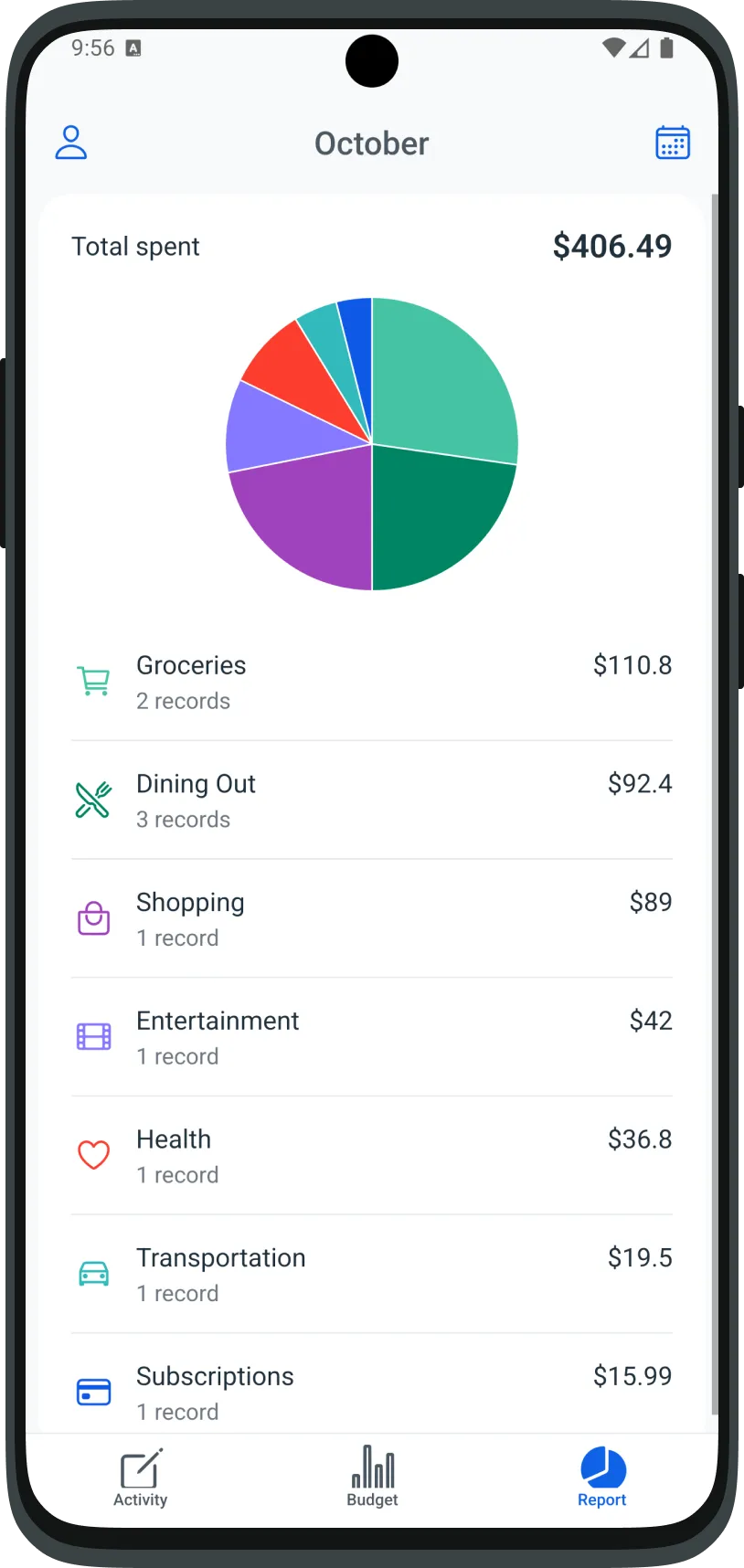
See total spending, a pie chart by category, and each category's total and number of records.
From categories to individual expenses
Open a category for a month-by-month bar chart and a breakdown by tag. Open a tag to see the individual expenses behind it.
Review the period that matters
Move between months from the shared calendar. Each selected currency has its own expenses, budgets, and reports.